Posts

Showing posts with the label programming

CBIntrospect and View Introspector - iOS UIView Hierarchy View debuging tool

Image
Ever wanted to see the entire UIView hierarchy of the screen or window? Yeah, me too. Ever wanted to send messages to the UIView, UITableView, UIScrollView, etc without changing code? Yeah, me too. Ever wanted to manipulate the view's frame or see a verbose description of a UIView's properties? Yeah, me too. Meet CBIntrospect and View Introspector . CBIntrospect is an iOS library which provide tools to debug UIView hierarchies in the simulator and on the device. Introspect tool active View Introspector  is a desktop app which allows you to control CBIntrospect and call methods (send messages) from outside the iOS Simulator. View Introspector It works as you would expect. You can click on an element in the tree to select in the simulator and click on an element in the simulator to jump to it and select it in the tree. It makes finding and manipulating subviews easy (and much more). Its all on GitHub . Enjoy and let me know if it helps.
AT&T Hackathon Dallas

I never attended a Hackathon before, but I thank God for me attending this one. Guess who won first place... Pastie Cam was definitely an interesting prototype that Brian, from Sencha, really liked. Thanks to all who attended, you made it fun. http://cingularddp.lithium.com/t5/AT-T-Developer-Program-Blogs/AT-amp-T-Mobile-App-Hackathon-Dallas-Recap/ba-p/30367

Long time no post

I've been acquired by Bottle Rocket . I've been there for a lil' bit and... It's been a blessing. Working at Bottle Rocket is better than I thought. Plenty of smart folks, great freebies and top-notch resources. The Lord is good.

Django IRC, good times

Reflecting back... Made me laugh (go Django!): http://botland.oebfare.com/logger/django/2010/3/4/4/

Submitted my app to the Mac App Store

I have submitted my first (and maybe only) app to the Mac App Store. I have had this app in my pocket for over 5 years, and the Mac App Store gave me a good excuse to release it to the general public. Codesign and validate receipt issues have finally been resolved: The Google bot does not have access to the dev forums. Log in and check the dev forums, they are your friend. (https://devforums.apple.com/index.jspa). Thats now 5 Apple (iOS/OSX) software products I have produced (and released). Thank God for these skillz! Update (Nov 19, 2010): I assume my app was accepted. I received an email that reads: "The status for the following app has changed to Pending an Apple Release ". This release, again I assume, is osx 10.6.6. I only say assume, because the icon/image/orb color associated with the status is red, not yellow or green. Weird. Final Update: It was accepted. Praise the Lord!

CLClientHandleDaemonDataRegistration registration 3 error

I got the below CoreLocation debug error: void CLClientHandleDaemonDataRegistration(__CLClient*, mach_port_t, const CLDaemonCommToClientRegistration*, const __CFDictionary*)",server did not accept client registration 3 Had it for a while, but I never needed to test the location services information until today. I realized I disabled location services within the System Preferences on my Mac Air. Uncheck the box, works like a charm. Thank God for quick recall memory. People seem to be going crazy on the interwebs about these CL errors.

SimpleUnitTest - Easy iPhone and iPad Unit Test

Image
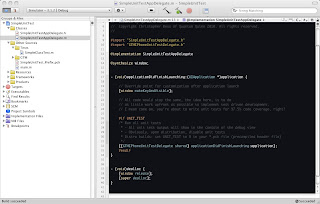
SimpleUnit(Test) for iPhone/iPad test driven development, fast. Notes: - Problem, you have a relatively large codebase, that isn't unit tested and you need a really fast way to get test driven development. - I love Python unit tests, because you drop in a folder (pkg), create a module and import yo junks. Bam, unit test heaven. I looked around on the net for something, similar (for about an hour) and found nothing. - This was done quick and dirty, to get test driven development fast and zero fuss - It works without any scripts, build settings changes or target touching (see example proj) - 100% safe (with cond. compilation) and incredibly easy to institute - Drop in the folder, add two lines of code (import and tests runner call), and start writing unit tests! - It also allows you to have a near native/real world environment. - I also wanted a unit test system that would let my app start to setup the database, app vars, etc. - Keep in...

SQLite Database Browser - SQBrowser

Image
I finally released the source code for my favorite SQLite database browser. It was written in wxPython 2.5. I created it out of necessity, because my iPhone and Android development revolves around SQLite. And no matter how good the database manager would be, the SQL editor was always buggy or pathetic. I wanted to use TextMate. Available here: http://sqbrowser.googlecode.com/ Sequel Pro seems promising, and I have grabbed a checkout of the code base. I am starting to port sqbrowser logic, to integrate it into this project (objc). Stay tuned for updates.

Palm webOS emulator fun?

In my excitement of the release of webOS SDK, I downloaded and installed the emulator. To my surprise I found no instructions on how to use the more advanced features/gestures. #1 How do you rotate the emulator to landscape? iPhone emulator: press Cmd + left or right Palm emulator: ? #2 How do you perform multi-touch gestures? iPhone emulator: press Option (Alt) and mouse down. Palm emulator: ? If you zoom in on something, best of luck returning it to full view without closing the app.

Obj PCRE on iPhone

I have been having fun with my ObjPCRE framework and the iPhone SDK. Just drop the contents of this archive in your Xcode project and build. The archive contains the debug libs, for the simulator and the release builds, for iPhone. ObjPCRE iPhone Libraries If you use ObjPCRE for iPhone or anywhere else, please comment.

Custom Grep Format via Python

Image
I really wanted a custom output format for the great grep, I used standard Python to do it. Needs Python 2.4+ GrepOut is the name and grep formatting is it's game. Its free, its BSD. Download Here

Combat the WTF in iPhone Development

I thought I would share some information for those that may be new to iPhone development, or may have forgotten. If you see this: __TERMINATING_DUE_TO_UNCAUGHT_EXCEPTION__ popup during a runtime error, check here: Console.app for a more verbose explanation. Most of the time you will find the WTF.

Google Open Source Blog: Develop with Git on a Google Code Project

Google Open Source Blog: Develop with Git on a Google Code Project Also check out: github.com (free 100MB git repo host)

Find the WTD in iPhone Xcode builds!

I'm an avid iPhone developer and I've been developing with Xcode for Mac OS X a while (about 4 years) now. In all my days I have never seen an error from Xcode (even the crazy ones from objc) so sick and twisted that it takes almost an hour to fix. Luckily this fellow ran into the same issue (and posted it). I wasn't using a button, but a "search bar"; and when I removed it everything built just fine. I don't think IB files like multiple "bars". Oh well, back to hard coding GUIs. [error-message] *** -[UIImage encodeWithCoder:]: unrecognized selector sent to instance 0x44d470 [/error-message] I also learned that Xcode or IB doesn't like "lonely" outlets. Meaning, if you assign an instance to an outlet in IB, you better make sure the instance variable is in the corresponding class file. It will build and launch, but crash with some error like: __TERMINATING_DUE_TO_UNCAUGHT_EXCEPTION__ Fun with WTDs (what the deuce).

Fun With Creating Kate Plugins Using KDevelop

To use KDevelop Kate Plugin Templates: -> Create a project using the respective Kate Plugin template as normal. -> After the build, change line 6 in the created *.desktop file (in your "src" folder) Old: X-Kate-Version=2.2 New (working): X-Kate-Version=2.5 I never knew the *.desktop file only installed the plugin for the target Kate version. The story: During my first attempt at creating a C++ Kate Plugin (used Python [Pate] prior), I noticed KDevelop had a project template for it! It was great all the way up until the 'make install'. Then I noticed my plugin was showing up. Well after about 20mins of following make install paths... I started comparing rc files, with those plugins that were working. Everything looked fine. Then I noticed the lonely *.desktop file, and wow it was the culprit. "Kate Version", must be set to 2.5 (or whatever version you are using). Now on to creating some plugins for the Kate community!

QuTags - Easy Ajax Usage, Fast PHP Results

QuTags - http://qutags.sourceforge.net - has finally hit 1700+ downloads (since 05/2007). I guess its about time I post a little blog entry about its existence. QuTags is the culmination of thoughts and examples of great ways to implement AJAX for PHP, without knowing any JavaScript; none. But this implementation actually does hide the JavaScript from the PHP programmer. Don't get me wrong, its not invisible to the advanced user, but most of the time (if not all), you can do without touching the JavaScript. QuTags allows you to easily and rapidly bring Ajax advantages to ANY existing PHP web application. Simple, fast and supported. The framework is young but extremely powerful. It dominates every other attempt at simplicity; seriously. The following example demonstrates the Javascript-less Ajax framework. Its a simple page that changes the DIV's text when the user clicks the button. Ex: [code] <?php # include qutags script (if you're no using the Apache module) require...

Load .NET Assembly Using Python

To load .NET assemblies via Python you should use Python.NET. I choose Python.NET over IronPython, because IronPython seems less compatible with standard Python libraries (amongst other things). Once you've downloaded and installed Python.NET (http://pythonnet.sourceforge.net/), you can begin the integration. Integration Code Sample: [code] import sys # import Python.NET module(s) import CLR from CLR.System.Reflection import Assembly # get the root path (for the dlls) pythonLoc = sys.path[0] pythonLoc = pythonLoc[0:pythonLoc.rindex("\\")+1] for dllName in ["MyDLL.dll", "Microsoft.Practices.EnterpriseLibrary.Common.dll", "Microsoft.Practices.EnterpriseLibrary.Data.dll"]:    Assembly.LoadFile(pythonLoc+dllName) # end for # create instance of .NET class csharpClass = clr.MyDLL.MyCsharpClass() # call member of .NET class result = csharpClass.SomeMethod() [/code] As you can see the key here is to use absolute paths. The variable ...

wxPython with Python .NET intergration

Image
To use wxPython and Python.NET together is a simple task. Luckily Python.NET is an interpreter and wxPython are modules. This will allow you to utilize wxPython and the .NET framework all from Python. Its a Win32 Python programmer's dream, leverage .NET assemblies, wxWidgets UI, and Python! 1.) Download wxPython (http://www.wxpython.org/download.php) & Python.NET (http://pythonnet.sourceforge.net/) 2.) Install Python.NET (and remember the install directory) 3.) Install wxPython in the same directory you installed Python.NET Notes: To access PyCrust (interactive wxPython shell), go to 'C:\PythonNet\Lib\site-packages\wx-2.8-msw-unicode\wx\py\pycrust.py' To access XRCed (XRC editor), go to 'C:\PythonNet\Lib\site-packages\wx-2.8-msw-unicode\wx\tools\XRCed\xrced.py'